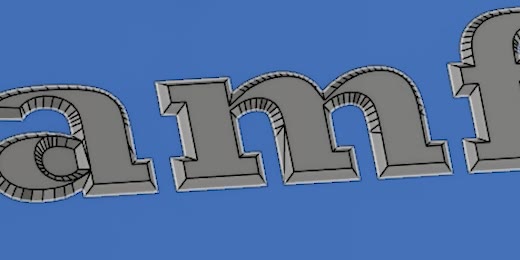
Any outline
Serif and script lettering, blackletter, CJK, logos, borders and filigree. If it is raised from a flat face, it can be chamfered.
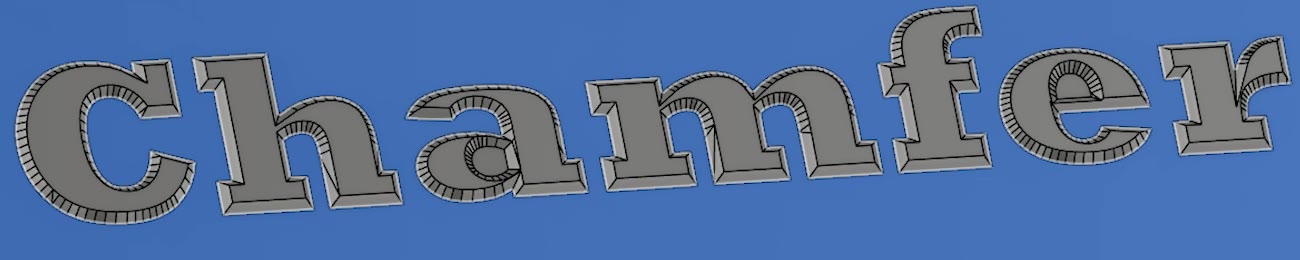
Complex Chamfer turns raised text, logos and ornament into crisp, faceted relief in one step, right in your design. Script, blackletter, Japanese and the tangled outlines Fusion's own chamfer gives up on.
30-day trial. No card, no account.
Fusion's chamfer works edge by edge and stops at tight curves, sharp serifs and strokes that cross. Complex Chamfer works on the whole outline at once and builds the faceted roof a stone-cutter would: planar faces, straight ridges, clean mitres where strokes meet.
Serif and script lettering, blackletter, CJK, logos, borders and filigree. If it is raised from a flat face, it can be chamfered.
Bottom-In removes material, bevelling to a faceted ridge. Top-Out adds it, keeping the whole top face and flaring to the floor. Set the side angle and where the top is cut, from the top or from the base.
Results are exact solid geometry joined to your body, as one undo step and one timeline group. Everything you didn't select stays exactly as it was.
Click the features you want, or select all and exclude the border frame. The dialog shows each feature's height before you commit.
A whole plaque of mixed type converts in a single run. Doing the same by hand means sketching and cutting every facet.
Built for 3D printing, CNC and casting: closed solids with planar faces, ready to export as STL or 3MF. One setting makes even the finest strokes print.
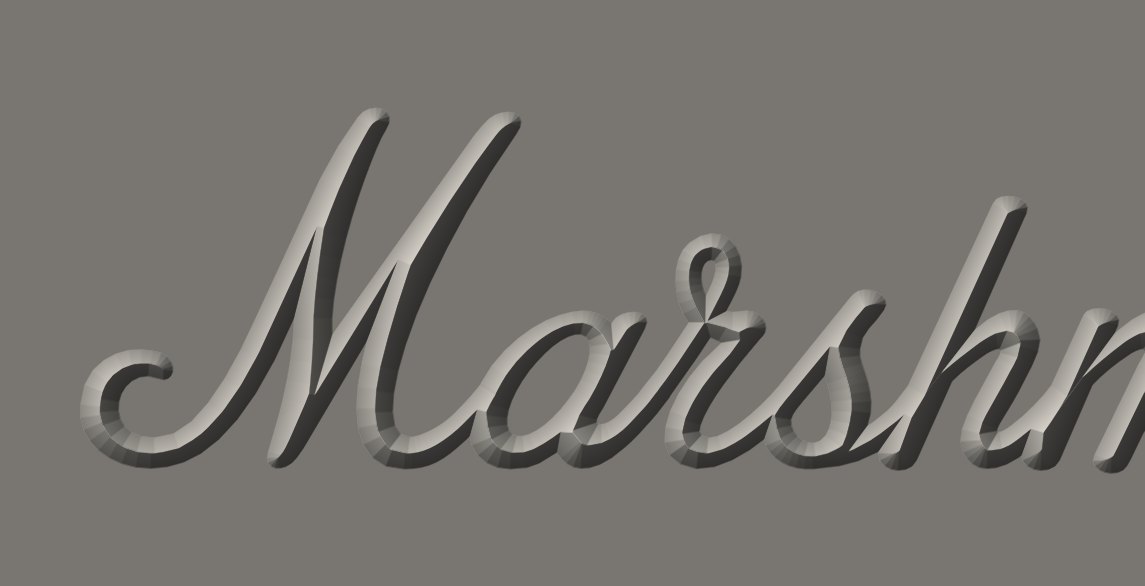
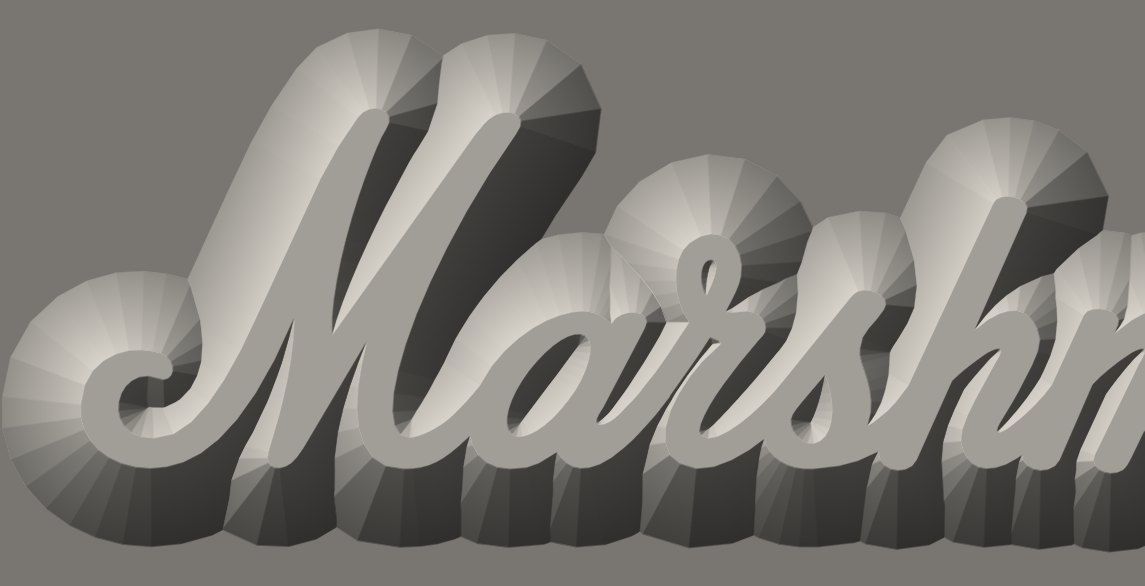
Plain extruded relief in, faceted chamfers out. These are unretouched Fusion viewport captures; every one is a single Complex Chamfer command.
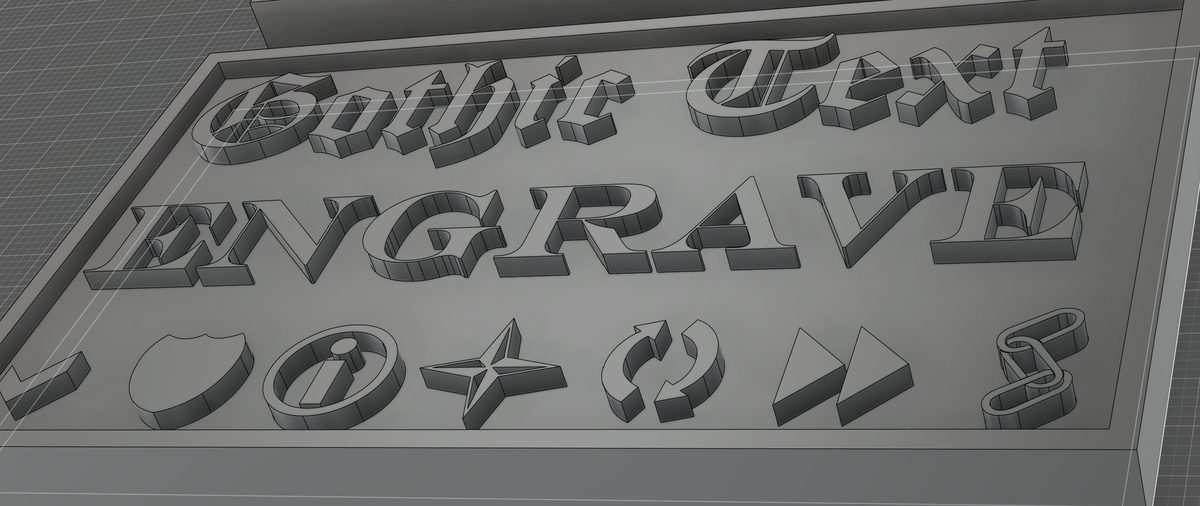
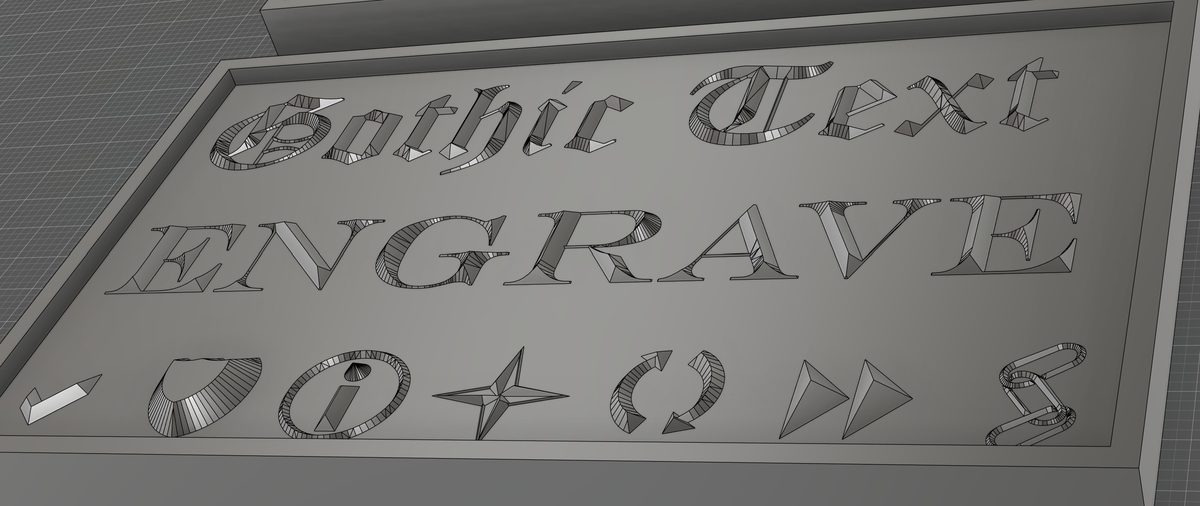
Blackletter, a serif with hairline joins, and icons with counters, arrows and interlocking links, all in one pass.
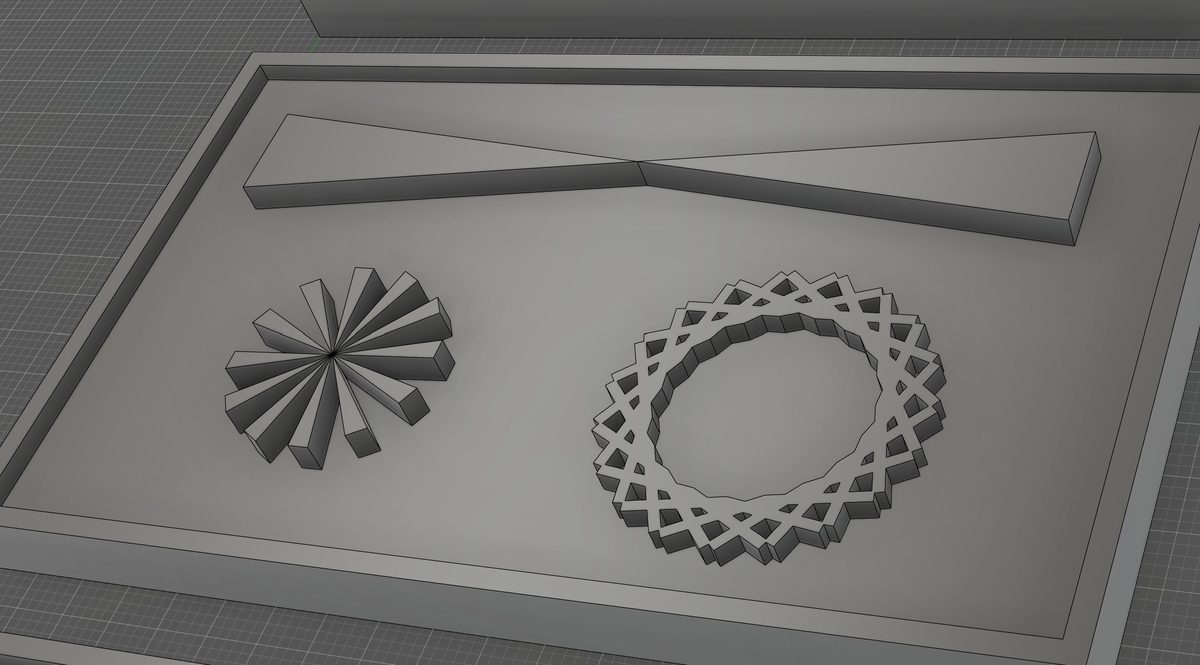
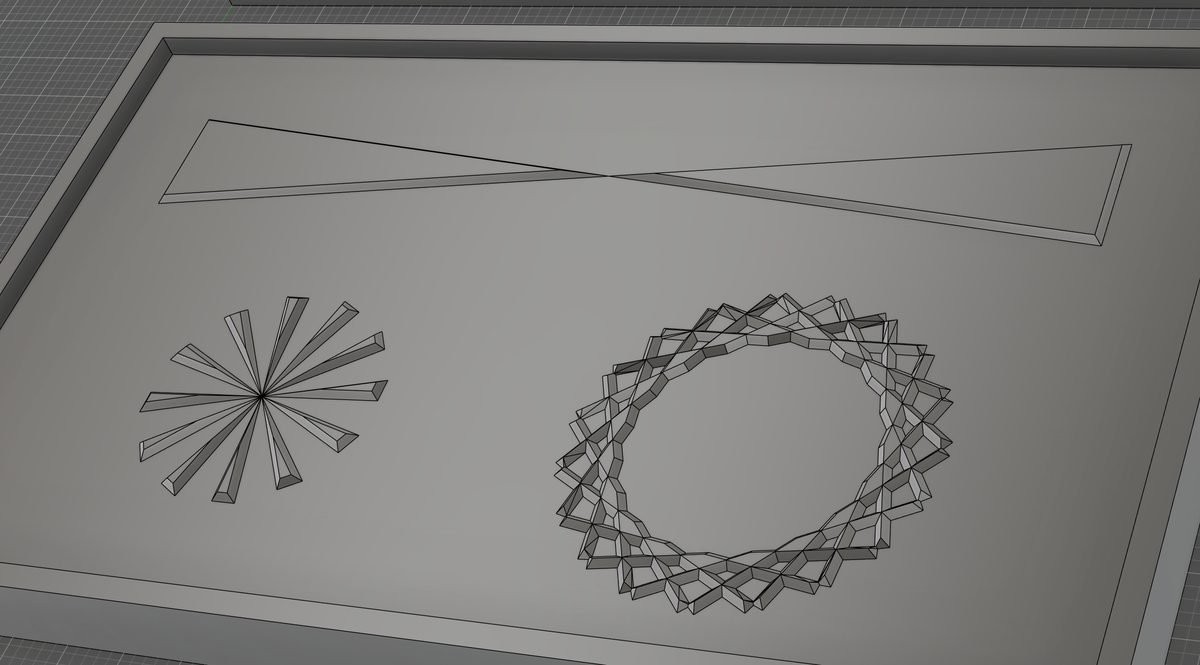
A starburst of spokes meeting at one point and an interlace full of crossings: the hard cases for an edge-by-edge chamfer.
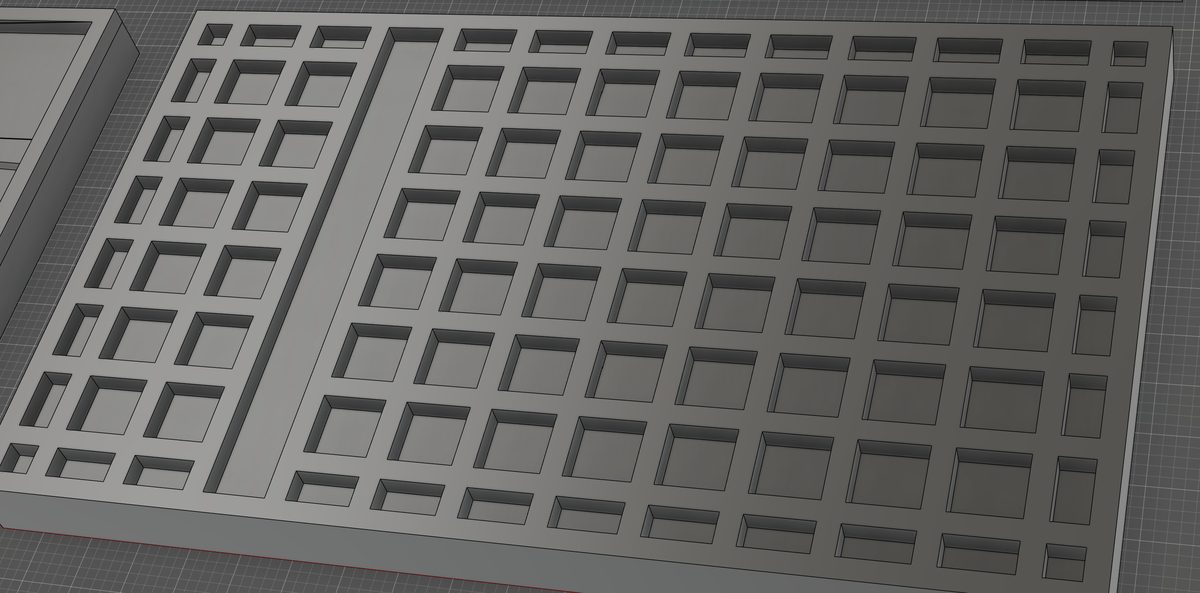
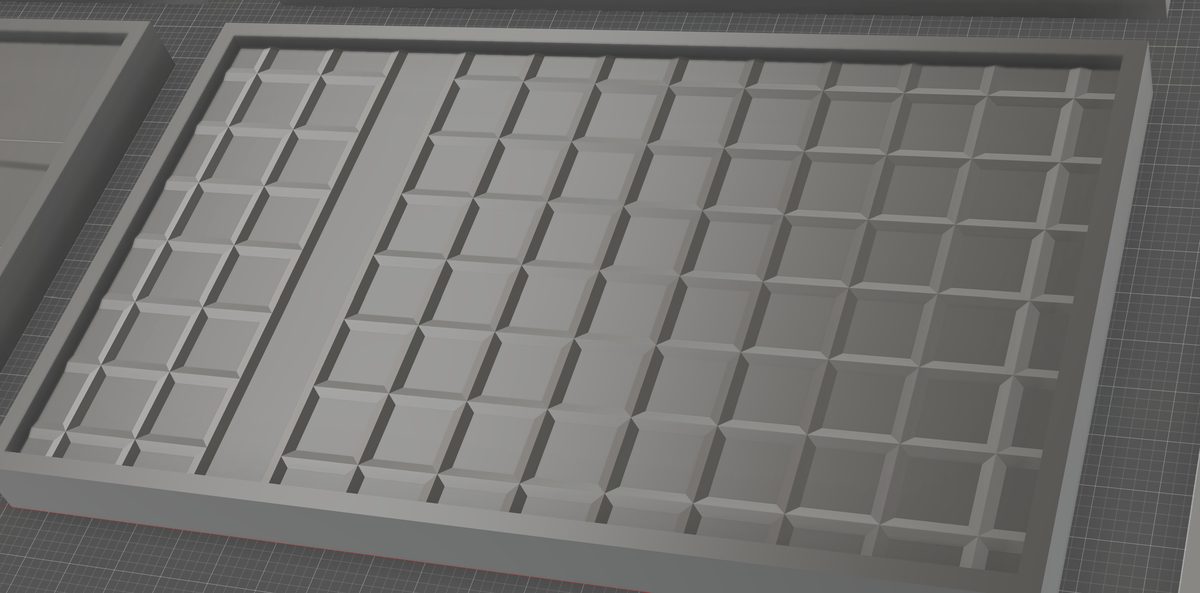
With Skip border and Attached, the frame keeps its square edges and full height while every bar joined to it is chamfered, here at a shallow 15° side angle.
Every line of this plaque was converted in a single run: sans and serif text, Bauhaus, script, blackletter, Japanese and an interlaced border. Strokes that touch or cross are joined into one continuous roof.
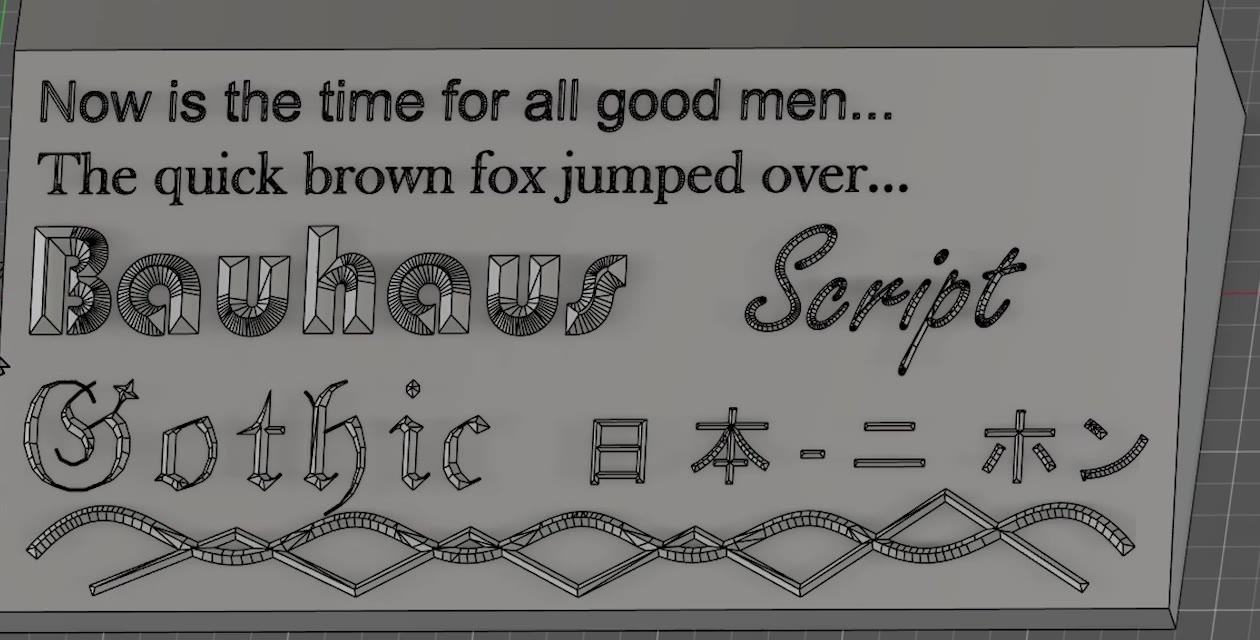
Bottom-In removes material: it bevels each feature inside its own outline, from the floor up to a faceted ridge. Top-Out adds material: it keeps the top face whole, exactly as you drew it, and slopes the sides outward to the floor, so the lettering stands on a solid, printable base.
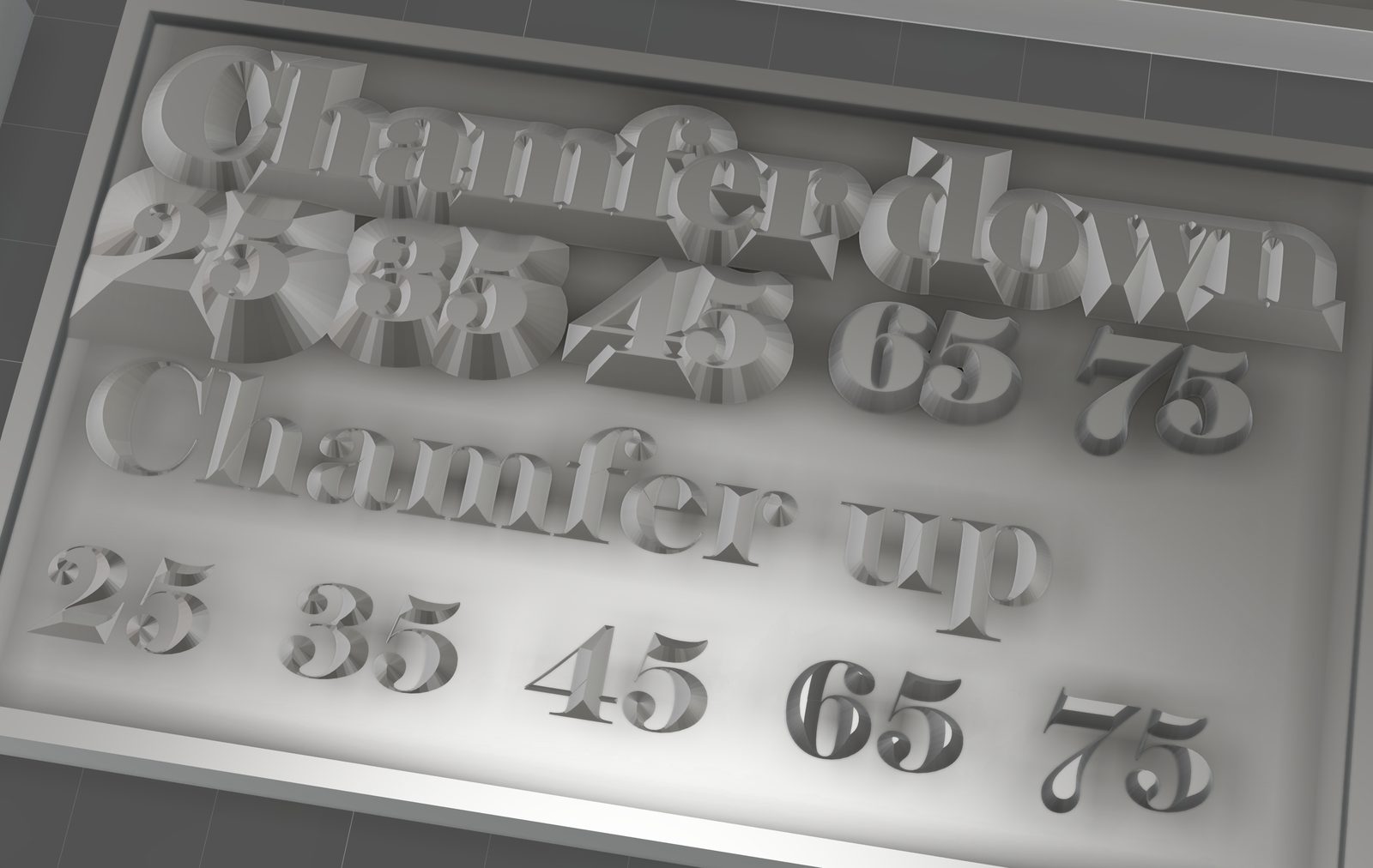
A chamfer turns a hairline serif into a sliver no nozzle can lay down, and a slicer quietly skips it. Turn on Ensure FDM extrude and every feature stands on a wall at least one extrusion line wide and one layer high, so the first layer traces every stroke. Above that layer the chamfer is unchanged.
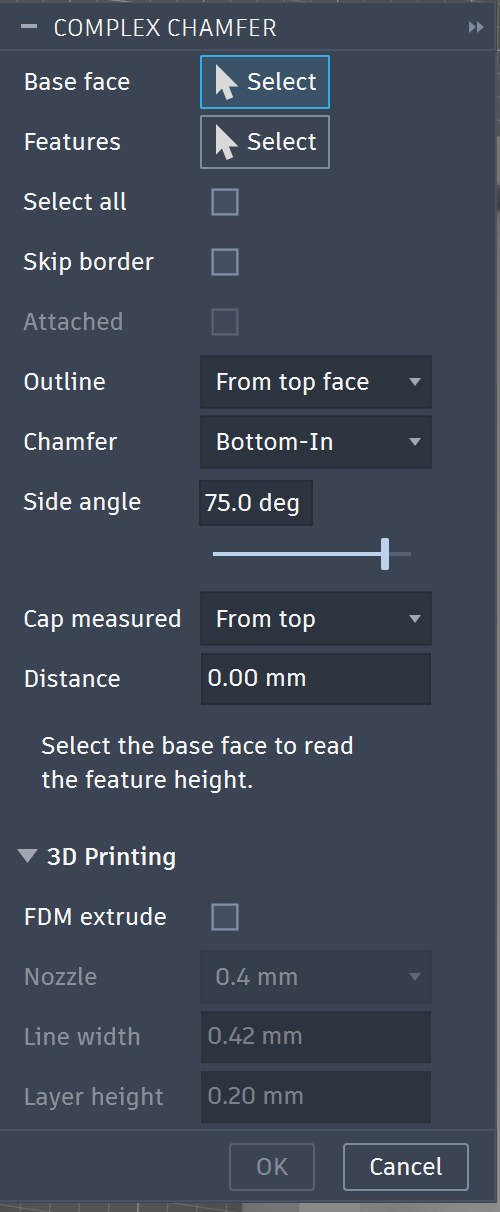
Complex Chamfer sits in the Modify menu next to Fillet and Chamfer. Choose a base face, choose features, Bottom-In or Top-Out, set the angle and cap, and click OK. Undo it like any other feature.
The flat face the relief stands on.
Click them, or select all.
Bottom-In or Top-Out, how steep, where the top is cut.
Exact solids, joined to your body.
Models made with a trial or Personal licence carry an origin mark: a keyed pattern woven into the geometry of each chamfer. The variation is a few hundredths of a degree, far finer than any printer, cutter or eye can resolve, so your part looks, fits and prints exactly as designed.
The mark lives in the shape itself, not in metadata, so it stays with the model when it is exported to STL or 3MF, moved, rotated or scaled. Our detector can read it from a downloaded file and tell which kind of licence made it. That is how we keep the Personal price low: models that are sold, or uploaded to sites that pay creators in points or rewards, such as MakerWorld, need a Commercial licence.
| Licence | Output |
|---|---|
| Free trial | Marked |
| Personal | Marked |
| Commercial | No mark |
Everything, for long enough to know.
30 days, 10 conversions, 50 features
Your own prints, gifts and hobby projects.
plus tax where it applies
Prints you sell, uploads that earn points or rewards, and client work.
plus tax where it applies
Own Personal? First year $40.
Windows, Autodesk Fusion. Installs in a minute.